Showing posts with label Bella Caribena. Show all posts

Sunday, December 17, 2023

PTU Meowy Christmas


I used PSP 2023 but any version of Paint Shop Pro should work. You need a basic knowledge of Paint Shop Pro for this tutorial.
I used the PTU artwork of Laguna called "Kitten in Santa Boot" which you can purchase at PFD here. 
You must have a license to use this artwork. 
I used a PTU kit from Bella Caribena called "Christmas Toys N Cakes" that you can get at here
I used a FTU mask from Mizteeque #376 that you can get here 
Font is called For Christmas

Refer to tag for placement
Open a blank canvas 800x800
Copy paper 5 paste as new layer
Apply mask ungroup layers merge down
Paste mask 3 as new layer
Resize element 36 to 50% place to the left duplicate layer mirror horizontal
Resize element 53 to 35% place top center
Resize element 28 to 75% place towards top center
Copy and paste element 35 place bottom center
Resize element 46 to 75% place to the left
Resize element 52 to 65% place to the right
Resize element 83 to 35% place to the left
Resize element 90 to 35% place to the left
Resize element 57 to 35% place to the right
Resize element 110 to 30% place to the right
Resize your tube to 20%
Resize element 117 to 30% place to the left
Resize element 79 to 35% place to the left
Resize element 3 to 25% place to the right
Resize element 92 to 30% place to the right
Resize element 41 to 30% place to the right
Add any other elements you like
Add copyright and info
Layers merge visible
Resize image to 650x650
Save as .png


Wednesday, June 28, 2023

PTU Happy July


I used PSP 2023 but any version of Paint Shop Pro should work. You need a basic knowledge of Paint Shop Pro for this tutorial.
I used a PTU kit from Bella Caribena called "Christmas on July" that you can get at here
I used a FTU mask from Mizteeque #272 that you can get here 
Font is called Tropical Taste

Refer to tag for placement
Open a blank canvas 800x800
Selections select all
Copy paper 6 paste into selection select none
Apply mask ungroup layers merge down
Resize element 48 to 50% place to the right
Resize element 79 to 65% place to the right
Resize element 22 to 20% place to the right
Resize element AI 38 to 25% place to the right
Resize AI element 39 to 20% place to the right
Resize element AI 5 to 35% place in the center
Resize element 24 to 45% place to the left
Resize element 23 to 25% place in center
Resize tube 1 to 75% place in center
Resize AI element 36 to 50% place to the left
Resize AI element 23 to 25% place to the left
Resize AI element 20 to 25% place in center bottom
Resize element 36 to 25% place to the left
Resize element 1 to 15% place to the left
Add any other elements you like
Add copyright and info
Layers merge visible
Resize image to 650x650
Save as .png


Sunday, May 28, 2023

PTU Jungle Guide

I used PSP 2023 but any version of Paint Shop Pro should work. You need a basic knowledge of Paint Shop Pro for this tutorial.
I used the PTU artwork of Kajenna called "Researcher" which you can purchase at PFD here. You must have a license to use this artwork.
I used a PTU kit from Bella Caribena called "Wild Sexy In The Jungle" that you can get at here
I used a FTU mask from Syllycreationz #18 that you can get here 
Font is called Welcome to the Jungle

Refer to tag for placement
Open a blank canvas 800x800
Selections select all
Copy paper 5 paste into selection select none
Apply mask ungroup layers merge down
Copy and paste AI element 75 place top center
Copy and paste element 10 place top right
Resize AI element 73 to 65% place to the right duplicate layer mirror horizontal
Resize AI element 46 to 50% place to the right duplicate layer mirror horizontal
Resize AI element 19 to 50% place to the left
Resize AI element 59 to 50% place to the left
Resize AI element 4 to 25% place to the right duplicate layer mirror horizontal
Resize AI element 72 to 25% place to the right
Resize AI element 17 to 25% place to the left
Resize AI element 58 to 25% place to the right
Resize AI element 15 to 25% place at top 
Resize AI element 32 to 50% place to the right
Resize AI element 22 to 50% place to the right
Resize tube to 25% place center bottom
Resize AI element 27 to 35% place to the left
Add any other elements you like
Add copyright and info
Layers merge visible
Resize image to 650x650
Save as .png


Saturday, May 13, 2023

PTU Fairyland

I used PSP 2023 but any version of Paint Shop Pro should work. You need a basic knowledge of Paint Shop Pro for this tutorial.
I used a PTU kit from Bella Caribena called "Pink Fairyland Dream" that you can get at here.
I used a FTU mask from Mizteeque #284 that you can get here.
Font is called Moot Jungle

Refer to tag for placement
Open a blank canvas 800x800
Selections select all
Copy paper 8 paste into selection select none
Apply mask ungroup layers merge down
Resize element 42 to 75% place to the left
Duplicate layer a few times to make more visible
Resize AI element 36 to 35% place to the left
Resize AI element 31 to 75% place to the left
Resize AI element 3 to 70% place to the right
Copy and paste element 24 place to the right
Resize AI element 21 to 80% place to the left
Resize AI element 1 to 15% place to the left on top of rock
Resize AI element 34 to 25% place to the left
Resize AI element 9 to 60% place bottom center
Resize AI element 14 to 35% place to the left
Resize AI element 15 to 35% place to the right
Resize element 4 to 20% mirror horizontal place to the right
Resize AI element 17 to 25% place to the right
Resize AI element 19 to 25% place towards top center in the tree
Resize AI element 22 to 35% place to the left
Resize element 55 to 15% place top left
Add any other elements you like
Add copyright and info
Layers merge visible
Resize image to 650x650
Save as .png


Sunday, May 7, 2023

PTU I Want Candy


I used PSP 2023 but any version of Paint Shop Pro should work. You need a basic knowledge of Paint Shop Pro for this tutorial.
I used the PTU artwork of Kajenna called "Corgi" which you can purchase at PFD here. You must have a license to use this artwork.
I used a PTU kit from Bella Caribena called "My Candy Dream" that you can get at here.
I used a FTU mask from Syllycreationz #12 that you can get here.
Font is called Wonderbar

Refer to tag for placement
Open a blank canvas 800x800
Selections select all
Copy paper 1 paste into selection select none
Apply mask ungroup layers merge down
Resize AI element 50 to 50% place top left duplicate layer mirror horizontal
Resize AI element 16 to 70% place top center
Resize AI element 18 to 65% place to the left
Resize AI element 23 to 65% place to the right
Resize your tube to 25%
Resize AI element 28 to 40% place between dog's paws
Resize AI element 10 to 50% place to the left cut off excess at bottom duplicate layer mirror horizontal
Resize AI element 12 to 35% place bottom center
Resize AI element 27 to 30% place bottom left
Resize AI element 53 to 30% place bottom right
Add any other elements you like
Add copyright and info
Layers merge visible
Resize image to 650x650
Save as a .png


Tuesday, May 2, 2023

PTU Summer Friends

I used PSP 2023 but any version of Paint Shop Pro should work. You need a basic knowledge of Paint Shop Pro for this tutorial.
I used a PTU kit from Bella Caribena called "My Tropical Little Friends" that you can get at here
This kit comes with a beautiful tube by Queen Uriel 
Read TOU for copyright and license info
I used a FTU mask from Sophisticat Simone #265 that you can get here 
Font is called Summer

Refer to tag for placement
Open a blank canvas 800x800
Selections select all
Copy paper 6 paste into selection select none
Apply mask ungroup layers merge down
Resize your tube to 20%
Resize element 58 to 25% place to the right behind tube
Resize element 53 to 75% place to the left
Resize element 51 to 65% place to the right
Resize element 50 to 25% place to the right
Resize element 65 to 25% place to the right
Resize element 30 to 20% place to the left in the water
Resize element 25 to 40% place to the right
Resize element 6 to 25% place to the left
Resize element 23 to 45% mirror horizontal place to the left
Resize element 27 to 20% place in the tree to the left
Resize element 79 to 15% place to the left
Resize element 2 to 10% place to the left duplicate layer mirror horizontal
Resize element 9 place at bottom
Resize element 13 to 35% mirror horizontal place top right
Add any other elements you like
Add copyright and info
Layers merge visible
Resize image to 650x650
Save as .png


Saturday, April 8, 2023

PTU Lemons and Life


I used PSP 2023 but any version of Paint Shop Pro should work. You need a basic knowledge of Paint Shop Pro for this tutorial.
I used a PTU kit from Bella Caribena called "Want Some Lemons?" that you can get at here
I used a FTU mask from Ashley's Designs that you can get here 
Font is called Lemon juice

Refer to tag for placement
Open a blank canvas 800x800
Selections select all
Copy paper 5 paste into selection select none
Apply mask ungroup layers merge down
Resize element 35 to 65% place to the left
Resize element 45 to 65% place beside element 35 lining up the road at the side
Resize element 15 to 90% place at center duplicate layer and move down a bit stopping at bottom of tag
Resize element 36 to 50% place to the right
Resize element 74 to 60% place behind element 35 to the left
Resize element 59 to 25% mirror horizontal place to the left
Resize element 56 to 25% place beside bridge on the left
Resize element 21 to 30% place in front of truck
Resize element 30 to 35% place behind truck duplicate layer resize 75% mirror horizontal move behind lemonade stand
Resize element 91 to 35% place center bottom
Resize element 6 to 10% place at water's edge to the left duplicate and move to right
Resize element 7 to 10% place between other flowers
Resize element 88 to 25% place to the right
Resize element 76 to 25% place to the right
Resize element 77 to 25% place to the right
Resize element 20 to 25% place to the right
Resize element 23 to 25% place to the left
Resize element 24 to 25% place to the left
Resize element 14 to 20% place at top of water to the left
Resize element 47 to 20% place beside picnic table on the left
Add any other elements you like
Add copyright and info
Resize image to 650x650


Saturday, March 25, 2023

PTU Easter Fun


I used PSP 2023 but any version of Paint Shop Pro should work. You need a basic knowledge of Paint Shop Pro for this tutorial.
I used the PTU artwork of Laguna called Easter Elephant which you can purchase at PFD here. You must have a license to use this artwork.
I used a PTU kit from Bella Caribena called My Baby Elefant Garden that you can get at here
I used a FTU mask from Ashley's Designs that you can get here 
Font is called Larinda

Refer to tag for placement
Open a blank canvas 800x800
Selections select all
Copy paper 1 and paste into selection then select none
Copy element 22 paste onto mask layer
Copy element 28 and paste at the grass line merge down
Apply your mask ungroup layers merge down
Copy element 12 place to the top left duplicate layer mirror horizontal
Resize element 53 to 35% place to the left duplicate layer mirror horizontal
Resize element 91 to 75% place to the right
Resize element 67 to 75% place to the left
Resize element 27 to 35% place between tree and tree house at the top
Resize element 68 to 35% place to the left beside tree house
Resize element 86 to 25% place in front of tree
Resize your tube to 25% place in center
Resize element 17 to 30% place on top of tree house
Resize element 76 to 20% place to the left
Resize element 90 to 25% place to the right
Resize element 74 to 20% place to the left
Resize element 73 to 20% place on top of tree house
Resize element 51 to 35% place at the top left
Add any other elements you like
Add copyright and info
Resize image to 650x650

Tuesday, March 21, 2023

PTU Painting Easter Eggs


I used PSP 2023 but any version of Paint Shop Pro should work. You need a basic knowledge of Paint Shop Pro for this tutorial.
I used the PTU artwork of Laguna which you can purchase at PFD here. You must have a license to use this artwork.
I used a PTU mini kit from Bella Caribena called Paint Easter Eggs that you can get here
I used a FTU mask from Lori's PSP Graphics #569 that you can get here 
Font is called Easter Time

Refer to tag for placement
Open a blank canvas 800x800
Selections select all
Copy paper 5 paste into selection select none 
Copy element 8 and paste the top of the tree level with the top right of the paper layer and merge down
Apply your mask ungroup layers and merge down
Copy element 45 paste at the tree line in the center
Resize element 42 to 50% place beside road on the left
Resize element 15 to 75% mirror horizontal place to the left
Resize tube to 25% place to the right
Resize element 5 to 35% place between tube and easel
Resize element 9 to 35% place behind tube on the right duplicate layer mirror horizontal move behind the easel
Resize element 13 to 25% place beside easel on the left
Resize element 19 to 25% place beside easel on the right
Resize element 67 to 25% place in center of easel
Resize element 23 to 35% adjust hue and saturation colorize to hue 205 saturation 255
Paste in front of paint cans duplicate layer twice
Resize element 39 to 17% paste on to puddle
Resize element 43 to 15% place in front of tube to the right
Resize element 12 to 10% place wherever you like
 Resize element 56 to 10% place wherever you like
Resize element 60 to 10% place wherever you like
Add any other elements you like
Add copyright and info
Resize to 650x650


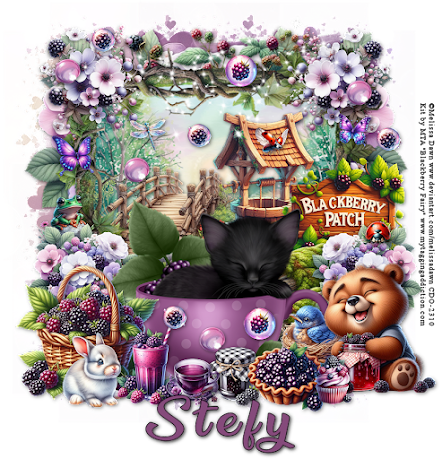
FTU Blackberry Patch

  I used PSP 2023 but any version of Paint Shop Pro should work. You need a basic knowledge of Paint Shop Pro for this tutorial. I used the ...